
Reviewing and commenting
To review and/or comment: The 'edit' mode is disabled for this page. Please use the comment feature to leave feedback/suggestions/etc., so that the Training Branch has a record of this review period. To comment, simply highlight the text you wish to comment on and hover your mouse over the highlighted text until a comment box pops up. Click the comment box to insert comments.
To view comments: Locate yellow highlighted text on page and click.
The FA Wiki uses a combination of hypertext, a search box, and page themes to facilitate navigation throughout the site.
| Contents |
|---|
Navigation Features
Hypertext
Hypertext is, simply put, digital text that contains hyperlinks to other text which the reader uses to readily navigate when accessing information. The FA Wiki uses hypertext throughout the website to cross-reference FA-related information via hyperlinks and interactive multimedia (sometimes referred to as 'hypermedia"). When you see text like this, it means there is a link to another wiki page or outside reference with further information.

Tooltips
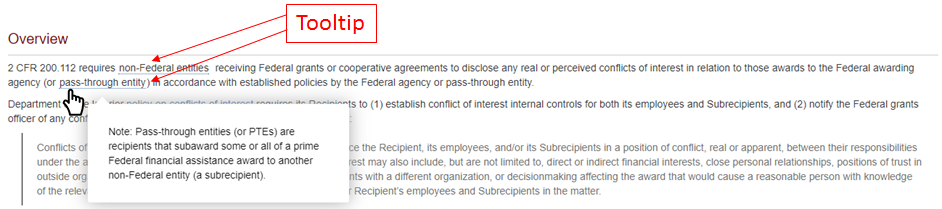
Tooltips are information elements used in conjunction with a mouse pointer to display additional information for the reader. The tooltip is activated by hovering the mouse pointer over the item (word or phrase, marked with a dotted blue underline) without clicking. This will display a "hover box" containing the additional information.
Search Box
The Search box is a key navigation tool of the FA Wiki. Located in the upper right hand corner of every page, the Search box applies a number of parameters to produce better refined search results than a simple word search would.
To use Search, simply begin typing out the word or phrase you are looking for. You will immediately begin to see search returns below the Search box, with those returns becoming more specific as you type.
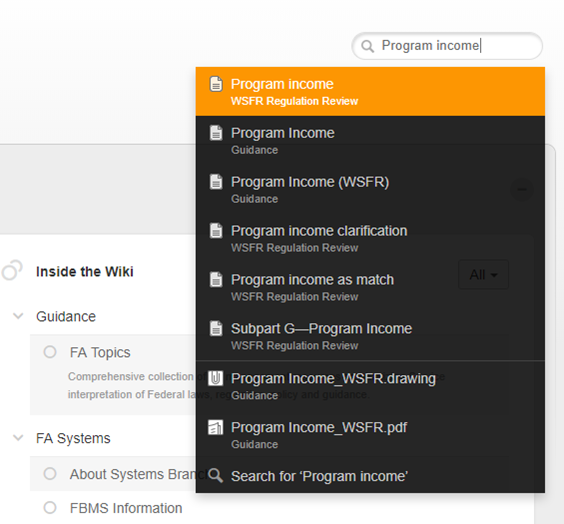
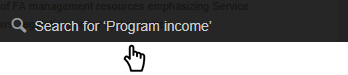
You can either select one of the Search returns shown, or select the "Search for 'xx'" option at the bottom.
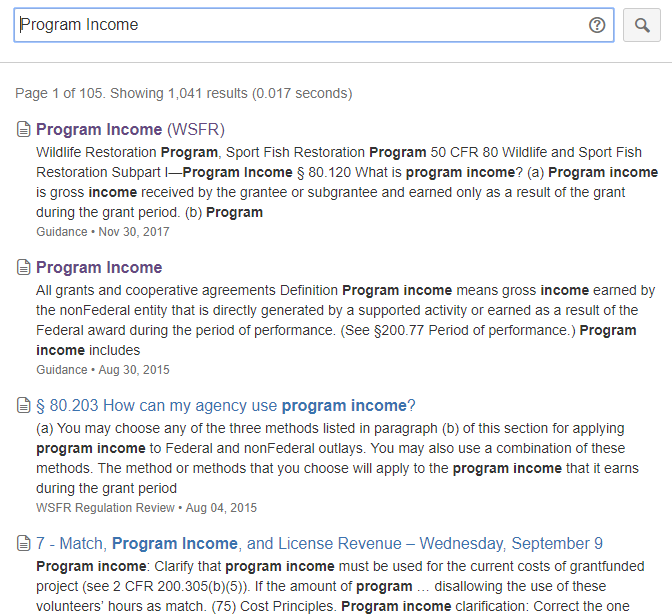
This will display the complete Search results for your desired word or phrase. Included will be the number of Search results.
Page Theme
For the majority of FA topic pages, the format is standardized and features a Content box, an Info box identifying where the topic applies (which FA award types, FWS FA programs, etc), and the following topic sections:
| Overview (or Background) | A high-level summary of the topic. 'Background' may be use in place of, or in addition to, 'Overview', when appropriate to provide historical context. |
| Authorities | All related Federal documentation on the topic. May include Federal statute, regulation, circulars, and Departmental- and Service-level policy and guidance. |
| Frequently Asked Questions (faqs) | Provides FWS interpretation of Federal law, regulations, and policy. This section is expected to grow as more technical assistance questions are fielded by FASO Division staff. |
| Learning Aids | Used to link to a variety of visual aids, e.g. flow diagrams, charts, tables, or graphs. |
| Related Pages | Cross-reference links to other FA Wiki pages related to the topic. |
| Resources | Links to external resources related to the topic. |
| References | Footnoted citations and/or Federal authorities. |
Images
The Wiki Layout
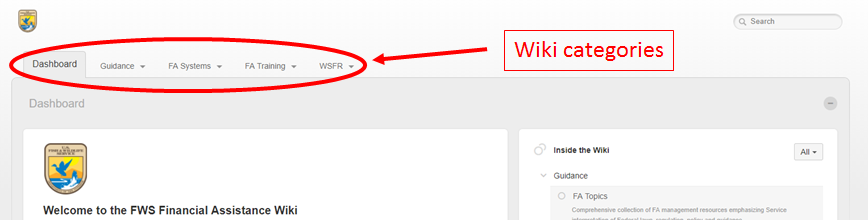
Broadly, the FA Wiki uses Spaces that can be combined into Categories, which forms the navigation structure for the website.
Wiki categories
Categories are featured as tabs along the top of the wiki, from which Spaces can be accessed.
Wiki spaces
Spaces form the backbone of the FA Wiki, organizing content for easy navigation. There are a couple of ways to find and access the FA Wiki's spaces.
From the Category tab:

